Disk cloning software, honestly compared

Half the tools advertised as “free disk cloning software” will not clone the one drive you care about. This site says plainly which ones do, which ones charge, and how to get Windows onto a new SSD without a broken boot.
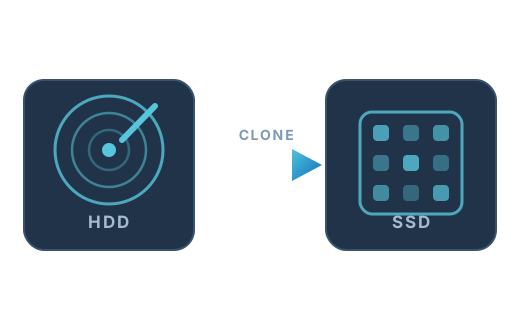
A hard drive being cloned onto a solid-state drive

Start here

Four recommendations covering the situations most people arrive with. Every one has been checked against the vendor's current terms in August 2026.

Best free overall

Rescuezilla

Free, open source, and the graphical wizard means you are not deciphering a text menu at midnight. Boots from USB, so it works even when Windows will not.

Free & open source   Read the review →
Best free Windows app

Hasleo Disk Clone

Clones the Windows system disk for free from inside Windows — no bootable media, no paywall on the one feature you need.

Best for experts and technicians

Clonezilla Live

Nothing is locked away, multicast deployment images a lab full of PCs at once, and it handles practically every filesystem you will meet.

Free & open source   Read the review →
Best paid tool

Macrium Reflect

The most trusted imaging and cloning engine on Windows. Now subscription-only, but nothing else matches its reliability record.

What is free and what is not

“Free edition available” and “free to clone your Windows drive” are very different claims. This column tells you which one applies.

Tool Licence Clones the Windows system disk for free? Interface Price
Clonezilla Live Free & open source Yes Text menus only Free (GPL)
Rescuezilla Free & open source Yes Full point-and-click wizard Free (GPL)
Hasleo Disk Clone Free Yes Simple Windows wizard Free (personal use)
AOMEI Backupper Standard Free tier, paid cloning No Polished Windows interface Free edition; Professional around $49.95 (lifetime licence, frequently discounted)
EaseUS Todo Backup Free tier, paid cloning No Consumer-friendly interface Free edition; Home around $39.95 one-off, subscriptions also sold
Macrium Reflect Paid Yes Dense but powerful Reflect Home around $49.99 per year; multi-year plans discounted
Acronis True Image Paid Yes Slick, heavy From around $49.99 per year (Essentials); Advanced around $57.99; Premium around $124.99
Veeam Agent for Microsoft Windows FREE Free No Straightforward, businesslike Free (registration required)
SSD vendor tools (Samsung, WD, Crucial, Seagate) Free Yes Simple, single-purpose Free, but only works with that vendor's drives
dd and ddrescue Free & open source Yes Command line only Free (GPL)

Open the full comparison, including smaller-target support and platform coverage →

Guides

The practical side: preparation, the clone itself, and what to do when the new drive refuses to boot.

Common questions

The things people ask before their first clone.

Is there still a genuinely free way to clone a Windows boot drive?

Yes, several. Rescuezilla and Clonezilla are free and open source with no feature gates. Hasleo Disk Clone is free for personal use and runs inside Windows. If your new SSD is a Samsung, WD, SanDisk or Crucial drive, the manufacturer's own migration tool is free too.

Why do so many 'free' cloning tools stop when I select my C: drive?

Because system-disk cloning is the feature vendors monetise. AOMEI Backupper Standard and EaseUS Todo Backup Free both let you clone data disks but require a paid licence for the Windows system disk. That is legitimate business, but it is worth knowing before you download.

What happened to Macrium Reflect Free?

It was retired. Paramount Software stopped issuing updates and patches for the Free edition on 1 January 2024, and it later reached full end of life. Old installers still exist but receive no security or OS-compatibility fixes, so they are not a safe recommendation. The paid Reflect X is very much alive.

Can I clone a 1 TB hard drive onto a 500 GB SSD?

Yes, provided the used data is comfortably under 500 GB and your tool supports resizing. Some tools shrink partitions for you; others need you to shrink the source partition in Windows Disk Management first. See cloning to a smaller SSD.

Do I still need a backup if I am cloning?

Absolutely. Cloning writes over the destination drive completely and irreversibly, and the single most common cloning accident is selecting source and destination the wrong way round. Have a separate copy of anything you cannot replace before you start.

Cloning or imaging — what is the difference?

A clone is a directly bootable duplicate drive. An image is a compressed file containing your drive's contents, which has to be restored before it is useful. Cloning suits one-off hardware upgrades; imaging suits ongoing backups. Full comparison here.

How we assess these tools

Every entry is checked against the vendor's own current documentation and licence terms rather than against other review sites — a surprising amount of “best free cloning software” content on the web is published by the software vendors themselves, and it shows. Where a free edition has a limit, we name the limit. Where a tool has been retired, we say so instead of leaving it in the list.

Prices and feature gates move around. Everything here was verified in August 2026; check the vendor's site before you pay. More about this site →